Saturday, November 15, 2008

5 MegaPIXEL cameraphones


These are the major mobiles having 5 megapixel camera for those who need professional picture and video recording…


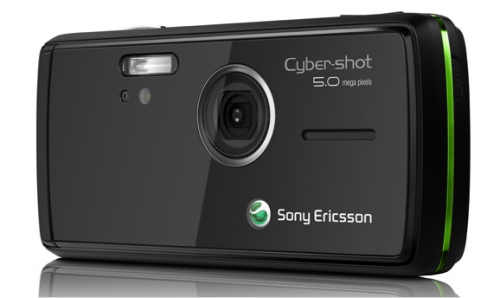
1.SONY ERICSSON K850

5 MP,
2592х1944 pixels,
autofocus, video(QVGA@30fps),
xenon flash and 3LED video light; auto lens cover, secondary videocall camera
FEATURES:
- Java MIDP 2.0
- FM radio with RDS
- MP3/AAC/MPEG4 player
- Motion sensor (with UI auto-rotate)
- TrackID music recognition
- T9
- Image viewer
- Picture editor/blogging
- Organiser
- Built-in handsfree
- Voice memo/dial
-GPRS,3G,EDGE,BLUETOOTH


2.NOKIA N82


5 MP,
2592 x 1944 pixels,
Carl Zeiss optics,
autofocus,
video(VGA 30fps), xenon flash;
secondary CIF videocall camera


FEATURES:
- Built-in GPS receiver
- A-GPS function
- Motion sensor (with UI auto-rotate)
- Installed Maps application covering over 100 countries
- Java MIDP 2.0
- MP3/AAC/AAC+/eAAC+/WMA player
- Video player
- 3.5 mm audio output jack
- TV out
- Stereo FM Radio
- Organizer
- Office document viewer
- T9
- Push to talk
- Voice dial/memo
- Built-in handsfree
-GPRS,3G,EDGE,BLUETOOTH


3.NOKIA N95

5 MP,
2592 x 1944 pixels,
Carl Zeiss optics,
autofocus,
video(VGA 30fps), flash; secondary CIF videocall camera

FEATURES:
- Built-in GPS receiver

- A-GPS function
- Installed Maps application covering over 100 countries
- Dual slide design
- Java MIDP 2.0
- MP3/AAC/AAC+/eAAC+/WMA player
- 3.5 mm audio output jack
- TV out
- Stereo FM Radio
- Organiser
- Office document viewer
- T9
- Push to talk
- Voice dial/memo
- Built-in handsfree
-GPRS,3G,EDGE,BLUETOOTH
-SMS, MMS, Email, Instant Messaging


4.SAMSUNG G800


5 MP,
2560х1920 pixels,
autofocus, video, xenon flash, 3x optical zoom


FEATURES:
- Java MIDP 2.0
- MP3/AAC/AAC+/e-AAC+/WMA player
- Stereo FM radio
- Face Detection
- T9
- Bluetooth printing
- Document viewer (Word, Excel, Power Point, PDF)
- Built-in handsfree
- Voice memo
- TV out
-GPRS,3G,EDGE,BLUETOOTH


6. LG VIEWTY – KU990

5 MP camera with
HIGH RESOLUTION capturing technology
manual & auto focus
iso 800 & sartlight for enhanced brightness
image stabilizer
high speed video recording


these are the 5 major mobiles to choose in 5 mp category

LG KG920 COULD BE THE OTHER OPTION


- 2-inch QVGA high resolution screen
- 5 Megapixel camera with 4x optical zoom and autofocus
- MP3 player
- MP3 ringtones
- 8 MB of onboard memory
- miniSD memory card expansion, 256 MB card bundled
- Bluetooth with headset support
- USB 2.0 connectivity
- Tri-band GSM
- 108 x 50 x 18 mm, 130 g


The Palm Treo 750 on Airtel Network


Palm has introduced its first Windows Mobile-based smart phone, the Palm Treo 750, on Airtel's network.

The Treo 750 is an EDGE- and 3G- enabled, multi-featured mobile phone with email, messaging, Web browsing, and organization software.

It comes bundled with Microsoft's Direct Push Technology for Windows Mobile. While the device is not powered by the Windows Mobile 6 operating system (OS), the company promises to make it available for download soon.

The Treo 750 features: a touch screen for easy surfing; copy and paste function; built-in viewers and editors for viewing and editing files respectively; and Multimedia Management to save images and sounds from Web sites.

The device also offers the ability to 'dial by name' with the help of a few keystrokes on the keyboard, to perform Web search directly from a 'Today Screen', and to carry out one-touch dialing with personalized photo speed dials. In addition, it enables users to ignore calls and quickly compose text messages like 'in a meeting' or 'can't talk'.


The Treo 750 has a 240 x 240 TFT touch screen, and comes with a 1.3 mega pixels digital camera, Windows Media Player 10 Mobile, mini-SD expansion slot, and built-in Bluetooth wireless technology.

As of now, it is available with Airtel for Rs 26,990. And will be available with other retail outlets to work on other networks by next week.

The handset will come along with a month of free, unlimited data usage, the Palm Bluetooth Wireless Keyboard that separately costs Rs 5,800, and a range of accessories.

FEATURES : Windows Media Player 10 / Full PIM functionality / Pocket Office(Word, Excel, Outlook)..

More Specifications :

FEATURESWindows Media Player 10 / Full PIM functionality / Pocket Office(Word, Excel, Outlook)..
EDGE Yes
Dimension WDH mm 111 x 58 x 22 mm
USB. Yes
Bluetooth Yes
Vibrate Yes
Physical Weight kgs 154 g
Standbytime (h) Up to 200 h
Display width (pixel) 240 x 240 pixels
Phonebook Capacity Practically unlimited entries, Photocall
Java Yes
Memory Card Slot miniSD / 60 MB built-in user available memory / Samsung 300 MHz processor HSCSD No
Talktime (m) Up to 4 h 30 min
OS Provided Microsoft Windows Mobile 5.0 PocketPC
Infrared Port Yes
Games Yes
SMS Yes
MMS Yes
Networks GSM 850, 900, 1800 , 1900
Ringtones Polyphonic, MP3
Handsfree Yes
Camera resolution 1.3 MP, 1280 x 1024 pixels, video
Battery Standard battery, Li-Ion 1200 mAh
WLAN No
Email Yes


Sony Ericsson PXi Concept Phone


The Sony Ericsson Pxi is only a concept phone for now, it was designed by Bence Bogar and unlike what happens with the majority of the phones, it has the left-handers in mind.

Besides the 3.3-inch touchscreen that can work with a normal stylus, or with your finger, there is also a similar function to the iPhone, which adjusts the screen depending on the position that you are holding the device. On top of the main touchscreen, there is a secondary screen (touch pad as well) so you can have easy access to the applications being currently used.

The PXi concept phone has a 5-megapixel camera, it has space for 2 memory card slots, and stereo speakers are included to enjoy high-quality audio.

Monday, September 1, 2008

Nokia readies "Tube" the iPhone rival...


Nokia remains at work on its answer to the Apple iPhone, codenamed "Tube," a company official said on Monday.

An image of the new handset was shown in a presentation slide at an event held in California yesterday. While we don't have the slide in question, we do know the Nokia Tube handset looks a lot like the Apple iPhone. The Nokia device showed graphical displays, such as a promotion for the movie Shrek the Third. Other capabilities will be featured, such as the ability to upload photos.


"It's our first touch device," said Tom Libretto, vice president of Forum Nokia. Interfacing with the system is done via touch similar to the iPhone. He said the company has not published the planned date of shipment for Tube.

It would be a hard competition, since all sorts of rumors predict that Apple will be announcing a whole new 3G version of their over-hyped iPhone within 2 months and they will be releasing it within September.

Nokia believes it can compete with iPhone, and during his presentation, Libretto compared volume shipments of iPhone to Nokia's shipments of phones. Since the launch of iPhone in June, Apple has shipped 5 million to 6 million of the devices, paling in comparison to Nokia's device shipments, Libretto said. "We've done that [volume] since we've had dinner on Friday," he said.

Comments like that however only show the frustration of Nokia at the Apple's success - be it minor in volumes when compared to the millions of low-end handsets Nokia sells everyday. There is no place for dispute that Apple have achieved enormous success with their first and only handset - they've changed the structure of the American market for mobile phones beyond recognition and managed to create an unprecedented hype that made the iPhone popular world-wide even before it set foot outside American soil.
__________________

Wednesday, August 27, 2008

Search Engine Optimization For Dummies, Second Edition
Peter Kent | 0471979988 | 408 pages | PDF | 10,87 MB


Plan your strategy and use the right keywords

Find out what search engines like and how to boost your ranking

How do you get visitors to flock to your Web site? Make sure the most effective search engines notice it! This updated guidebook tells you which search engines you need to impress, as well as how to register your site with directories, use links profitably, and rise to the top.

Discover how to

* Create search engine- friendly pages
* Choose powerful keywords
* Increase visibility
* Encourage other sites to link to yours
* Avoid penalties
* Use pay-per-click advertising productively

Download
:

http://rapidshare.com/files/140183180/Search.Engine.Optimization.for.Dummies.rar

> Access Airtel GPRS for FREE!


TeaShark, a mobile browser like Opera Mini, let you access Airtel GPRS for FREE. Shockingly it has nothing to do with modifying any Airtel setting so I am clueless about how its working! I tested it personally throughout the week but I havent been charged a single paisa. Here is how I used this


* Download TeaShark browser. Its free and being JAR file
* Open it from your mobile and select AirTel Live as access point.
* Thats it! Open any site from TeaShark and you wont be charged anything
Note for the first time, when TeaShark starts, it may take more than one minute to initialize. Also this one time initialization may fail many times. But dont loose your heart!

Here are some mobile sites


Download: tea_shark_by_b9_bugy.rar


pass: b9buggy

Friday, August 22, 2008

Mobile phone viruses, simple measures to protect yourself :


The Australian Mobile Telecommunications Association (AMTA) has developed consumer tips to assist users to protect themselves against the risk of mobile phone viruses. This guide explains what viruses are, how they spread, and what can be done about them.

What?s a mobile phone virus?

-A mobile phone virus or mobile malware - malicious mobile software - is a computer virus specifically adapted for the mobile phone environment and designed to spread from one vulnerable phone to another.

-A virus is a program code that replicates by being copied to another program. Viruses can be transmitted as attachments to an email or in a download file. Some viruses take effect as soon as their code is executed; other viruses can lie dormant.

-A virus that replicates by resending itself as an email attachment or as a part of a network message is known as a worm.

-Viruses can range from benign to quite harmful; they can erase data from the infected phone or send fake messages purporting to be from the phones owner. How prevalent are mobile phone viruses? The current security risk from mobile phone viruses and worms is low.

-Until many more smart phones or PDAs are in use, and users of these phones are regularly exchanging executable files, the risk will remain low. The mobile industry takes the threat of viruses very seriously and is continually monitoring its networks and working to protect users from any future risk from mobile phone viruses. There are also some simple measures that individual users can implement to protect themselves.

What can I do to protect my phone?

The following tips can help prevent problems with viruses on your phone:

1. Switch to Bluetooth hidden mode. If your phone has Bluetooth capability, ensure that the Bluetooth capability is switched to hidden or invisible mode unless you specifically need it to be visible. This will help prevent other Bluetooth-enabled devices from finding your phone (unless you grant them the necessary permission) and will therefore help protect your phone from worms that spread using the Bluetooth wireless technology.

2. Exercise caution before opening attachments. When accepting applications sent via Bluetooth, or opening MMS attachments, exercise caution, just as you would when opening an email attachment on your PC, because they may include harmful software. Ensure the application or attachment comes from a known source, and is wary of opening files that have unfamiliar text attached to them, even if they come from someone you know.

3. Only download content from a trusted source. Trusted sources may include operator portals and other well-known brands that offer adequate protection against viruses and other harmful software. Be aware though that, as with emails, malicious or fraudulent users may be able to fake the appearance of a trusted source.

4. Consider anti-virus software. Some software is available to prevent phone viruses. You may wish to consider downloading this software.

5. Contact your phone manufacturer if concerned. If you think you have a virus, call the phone manufacturer?s care line. They can assist you confirm if it is a virus, and help fix the problem.

BLUETOOTH Miracle :
Amazing technology from Japan . . . .

but can you guess what it is ?Look closely and guess what they could be...

Are they pens with cameras?


Any wild guesses? No clue yet?


You've just looked into the future... yep that's right!


You've just seen something that will replace your PC in the near future.


Here is how it works: In the revolution of miniature computers, scientists have made great developments with bluetooth technology.. .This is the forthcoming computers you can carry within your pockets . This "pen sort of instrument" produces both the monitor as well as the keyboard on any flat surfaces from where you can carry out functions you would normally do on your desktop computer.

U-Codes For Cell Phones


ALCATEL

* IMEI number: * # 0 6 #
* Software version: * # 0 6 #
* Net Monitor: 0 0 0 0 0 0 *
* Master codes: 25228352, 25228353, 83227423 (TH3/4,BH4,BF5,BG3,BF3/4..)
* Master reset (with SIM): ###337*07#
* Factory reset (with SIM): ###847#
* Alcatel 835 formating - **0102#

BOSCH

* IMEI Number: * # 0 6 #
* Dafault Language: * # 0 0 0 0 #
* Net Monitor: * # 3 2 6 2 2 5 5 * 8 3 7 8 #

DANCALL

* IMEI number: * # 0 6 #
* Software version: * # 9 9 9 9 #

ENOL

* Service menu: *#987*00#
* Full reset: *#987*99#
* SW version: *#900#

ERICSSON 6xx/7xx/8xx

* IMEI number: * # 0 6 #
* Software version: > * < < * < *

ERICSSON A1018S/T10S/T18S/T28S

* IMEI number: * # 0 6 #
* Software version: > * < < * < *
* Default language: < 0 0 0 0 >

FLY BIRD

* S688: #*301#02# send - with SIM
* Menu: 7 - 10 - ok
* Reboot repair: #*8000#, #*3676#
* Service menu: V09, S1180 - *, 3 times down, 3 times up

HUAWEI

* Master security code: 309296, 3092, 9296

LG

* Service menu (code reset)(W510 W3000 G5300 L1100 C1200 G7100...): 2945#*#
* Hold (LG 500,600): 2945#*
* Service Menu B1200: *+pwr, 6,6,8
* Service Menu B1300: *+pwr, 1,5,9
* Security removing code for LG 8110,8120: 47328545454# or 277634#*#

MAXON

* IMEI number: * # 0 6 #
* Software Version: *#9900#
* Batch: *#9901#
* Developer Team names: *#9908#
* L1 Debug on/off (NetMonitor): *#9911#
* Forbidden List: *#9912#
* bDAC: *#9913#
*
* Service Active: *#9916#
* Lock Status: *#9917#
* Names Maxxon , Audioloop , GCS .. : *#9919..9922#
*
* Forced Location Update: *#9924#
* Backlight off when charging: *#9931#
*
* Discharging battery: *#9937#
* Watch stop: *#9958#
*
* Watch start: *#9959#
* Contrast set: *#9960#
*
* Menu, reset (without SIM): *#9922#
* Software Version: *#9900#
* Software Version (PBatch): *#9901#

S60 Siries (SX1, 6600, N-Gage..)
*
* Factory default: *#7780#
* Full factory defaults (all user data reset): *#7370#
* SX1 formating: * + # + power on
* 6600 formating: 3 + * + send + power on
* Sendo X1 formating: 5 + power on

MITSUBISHI

* Format FFS (Eclipse): *65512890 (*-hold)
* Test mode: * 3926 - (*-hold)
* SW version: * 5806 - (*-hold)
* Trium 320 unlock menu: *(hold) 787090

MOTOROLA

* Master code (T190, T191, T205): 19980722, 20010903
* P2K test menu: *#06#, menu, menu, 048263*
* Test comands:
* Read phone code: 32*116*1*0*0
* Read security code: 32*118*1*0*0
* Factory reset, phone code off: 18*0
* Master reset: 18*1
* Full phone reset: 54*18*1
* Select 900/1800: 10*0*6
* Model: 32*279*1*0*8
* Flex version: 32*383*1*0*0
* Hard reset MPx200 - blue button + power on

NOKIA

* Code reset (6230): *#7370925538#
* Sim clock: *#746025625# [*#sim0clock#]
* Waranty: *#92702689# [*#war0anty#]

NOKIA 5110/5120/5130/5190

* IMEI number: * # 0 6 #
* Software version: * # 0 0 0 0 #
* Simlock info: * # 9 2 7 0 2 6 8 9 #
*
* Enhanced Full Rate: * 3 3 7 0 # [ # 3 3 7 0 # off]
* Half Rate: * 4 7 2 0 #
*
* Provider lock status: #pw+1234567890+1
* Network lock status #pw+1234567890+2
* Provider lock status: #pw+1234567890+3
* SimCard lock status: #pw+1234567890+4

NOKIA 6110/6120/6130/6150/6190

* IMEI number: * # 0 6 #
* Software version: * # 0 0 0 0 #
* Simlock info: * # 9 2 7 0 2 6 8 9 #
*
* Enhanced Full Rate: * 3 3 7 0 # [ # 3 3 7 0 # off]
* Half Rate: * 4 7 2 0 #

NOKIA 3110

* IMEI number: * # 0 6 #
* Software version: * # 0 0 0 0 # or * # 9 9 9 9 # or * # 3 1 1 0 #
* Simlock info: * # 9 2 7 0 2 6 8 9 #

PANASONIC

* Master reset (user data, user code) A100, A101, A102, G50, G51, G70, GD55, ...: *01763*737381#
* Menu: *369#
* Lock menu: 746 menu, menu
* 5 sec after power on - SW version (GD75, GD67, GD87..): *#9999#

PHILIPS

* IMEI number: * # 0 6 #
* Simlock info: * # 8 3 7 7 #
* Security code: * # 1 2 3 4 # (Fizz) or * # 7 4 8 9 #
* 630 without SIM (erase flash): #20021208#
* RSAV DONE: *#7728*#
* Reboot: *#3849*#
* Reboot: *#3851*#
* Philips 568 reset: *01763*737381#

PANTECH

* Master reset (user data, user code) without SIM: *01763*737381#
* SW version: *01763*8371#
* Unlock: *01763*6371#
* Menu: *01763*3641#


PANTECH HX-550C

* Full reset (phone code reset): ##03*934#9367*192#397#7412569746 PWR,
After reset: ##27732726 PWR and select "with sim"

SAMSUNG

* Full E2P reset: *2767*3855#
* Custom E2P reset: *2767*2878#
* Unlock: #*7337#
* Unlock: *2767*688#
* Contrast: *#0523#
* Service Menu (X100): *#8999*8378#

SAMSUNG SGH600/2100DB

* IMEI number: * # 0 6 #
* Software version: * # 9 9 9 9 # albo * # 0 8 3 7 #
* Net Monitor: * # 0 3 2 4 #
* Chaning LCD contrast: * # 0 5 2 3 #
*
* Memory info: * # 0 3 7 7 # albo * # 0 2 4 6 #
*
* Reset pamieci (SIMLOCK`a removing!!!): *2767*3855#
* Reset pamieci CUSTOM: *2767*2878#
* Battery state: * # 9 9 9 8 * 2 2 8 #
* Alarm beeper: *#9998*289#
* Vibra test: *#9998*842#

SIEMENS C25

* IMEI number: * # 0 6 #
* Software version: put off sim card and enter: * # 0 6 # and press LONG KEY
* Bunus screen: in phone booke: + 1 2 0 2 2 2 4 3 1 2 1
* Net Monitor (S4 Power): Menu 9 8, left SoftKey, 7 6 8 4 6 6 6, Red phone, Menu 5 6

SONY ERICSSON

* Service menu: > * < < * < *
* Lock menu: < * * <

VK MOBILE

* SW version: *#79#
* Hold menu: *#85*364#
* Without SIM (VG107): 855855#
* Hold: 85558555#
* Hold (VG207): 4268#

VOXTEL

* Master code: 0124
* Hold menu: (ST11, SC10, V100 without SIM)0718#
* Hold show code (ST11, SC10 without SIM): 4268#
* Hold menu (V50, RX100 without SIM): *789(#)

VERY VERY IMPORTANT CODES FOR CELL PHONES USERS

Thursday, August 21, 2008

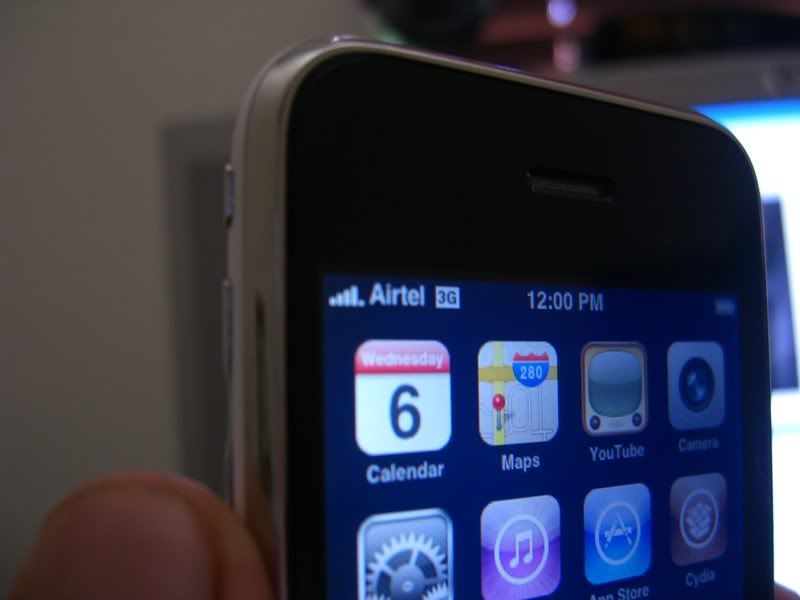
Airtel On 3g Iphone: